
Introduction
When customers search for a nearby business, they often compare Google Search results and Google Maps listings before deciding whom to contact. An accurate, informative business profile can help customers understand your services, location, opening hours and reputation.
Google Business Profile optimisation Canberra helps eligible local businesses present accurate information and improve their chances of appearing in relevant local searches. For businesses in Canberra, a well-maintained profile can support local discovery, customer enquiries and trust.
In this guide, Cybersecure Solutions explains practical steps to optimise your Google Business Profile and strengthen your local online presence.
What Is Google Business Profile Optimisation?
Google Business Profile is a free tool that allows eligible businesses to manage how their information appears on Google Search and Maps.
Optimisation means keeping your profile accurate, complete and relevant to the services you provide. It includes selecting suitable business categories, updating contact details, adding photographs, managing reviews and sharing useful updates.
Although optimisation can improve your local search presence, it does not guarantee a particular ranking. Google considers multiple factors, including relevance, distance and prominence.
7 Google Business Profile Tips for Better Local Visibility
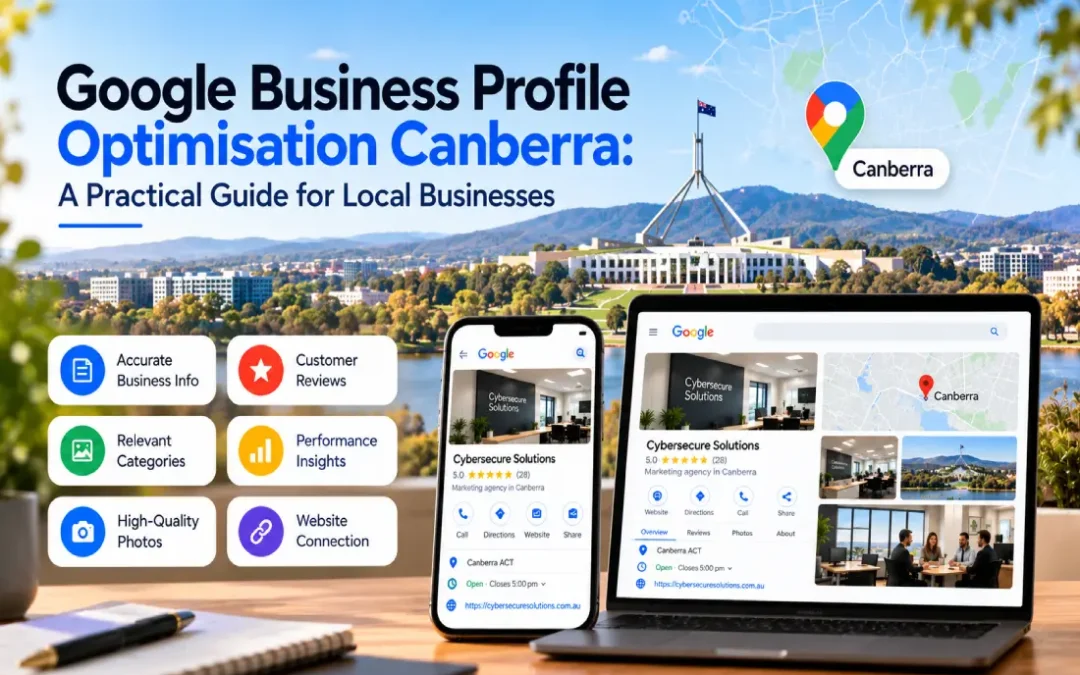
1. Complete Your Business Information
Start by checking your business name, phone number, website, opening hours and address or service area.
Ensure your information matches your actual business details and remains consistent wherever your business is listed online.
Practical tip: Update special opening hours for public holidays and notify customers when your operating arrangements change.
2. Choose the Right Business Categories
Your primary category should describe the main activity of your business. Add relevant secondary categories only when they accurately represent additional services.
For example, a Canberra digital marketing agency might select an appropriate marketing-related primary category and add other eligible categories where justified by its actual services.
Avoid selecting unrelated categories simply because they appear popular. Accurate categorisation helps Google understand what your business does.
3. Write a Clear Business Description
Use the description to explain your services, experience and the customers you serve. Keep it factual and customer-focused.
For example, a local agency could explain that it provides SEO, website development, content marketing and paid advertising to businesses in Canberra.
Mention your service area naturally where relevant. Avoid repetitive keywords, promotional gimmicks and unsupported claims.
4. Add Genuine, High-Quality Photographs
Photographs can help customers understand your business before contacting you.
Depending on your business type, consider adding:
- Your logo and cover image.
- Photographs of your premises or workspace.
- Your team and working environment.
- Genuine examples of completed projects or services.
Use clear, recent images that accurately represent your business. Never use misleading photographs or images that misrepresent your facilities.
5. Encourage and Respond to Customer Reviews
Reviews provide useful information for potential customers evaluating a local business. Invite customers to share honest feedback after a genuine interaction.
Respond professionally to positive and negative reviews. Thank customers for their feedback and address concerns constructively without disclosing private information.
Do not purchase reviews, offer rewards in exchange for positive ratings or pressure customers to leave favourable feedback.
6. Keep Your Profile Active and Accurate
Review your profile regularly to identify outdated details, incorrect opening hours and changes to your services.
Where available, use Google Business Profile features to share relevant updates, offers or announcements. Keep the information useful and current rather than publishing repetitive posts simply to appear active.
These Google Business Profile tips are most effective when supported by accurate information and a good customer experience.
7. Monitor Performance and Improve
Use the performance information available in your profile to understand how customers discover and interact with your business.
Depending on the available reporting, monitor metrics such as:
- Searches that display your profile.
- Website clicks and calls.
- Requests for directions.
- Other available customer interactions.
Review these figures over time and compare them with website traffic and actual enquiries. Changes in clicks or calls should be interpreted alongside seasonality, demand and other marketing activity.
How Google Business Profile Supports Local SEO
A well-maintained local business profile can help customers discover your services when searching for relevant businesses nearby. It also provides a convenient way to access contact information, reviews and directions.
However, a profile is only one part of local SEO. Your website content, service relevance, customer experience and broader online reputation also matter.
For a complete strategy, combine profile optimisation with helpful website content, consistent business details and genuine customer feedback.
Connect Your Profile With Your Website
Make sure your profile links to the correct website page. For service businesses, a relevant service page may provide a better customer experience than a generic homepage when the link is appropriate.
For additional guidance, read our main article, Local Online Visibility: How Canberra Businesses Can Get Found by Nearby Customers.
Frequently Asked Questions
1. Is Google Business Profile free?
Yes. Google Business Profile is free for eligible businesses to create and manage.
2. How often should I update my Google Business Profile?
Update it whenever business details change. Review the profile regularly to check opening hours, contact information, services and other important details.
3. Does Google Business Profile optimisation guarantee higher rankings?
No. Optimisation can improve the accuracy and relevance of your information, but local rankings depend on several factors and cannot be guaranteed.
4. Can a service-area business use Google Business Profile?
Yes, eligible service-area businesses can create a profile. Businesses that serve customers at their locations without receiving customers there generally need to hide their residential or business address and specify their service area appropriately.
5. How can I measure Google Business Profile performance?
Use the performance data available in your profile, including relevant customer interactions. Compare these metrics with website analytics and actual leads to understand their business impact.
Conclusion
Google Business Profile optimisation is an important part of helping local customers discover and evaluate your business. Accurate information, relevant categories, genuine photographs, honest reviews and regular performance checks can make your profile more useful.
For Canberra businesses, combining these activities with a broader local SEO strategy can strengthen online discoverability and create more opportunities for customer enquiries.
Need help improving your local business visibility? Contact Cybersecure Solutions to discuss SEO and digital marketing services tailored to your business goals.
Get in Touch with Cybersecure Solutions
Phone: 0466 397 314
Email: info@cybersecuresolutions.com.au
Contact Us: https://cybersecuresolutions.com.au/contact-us/